 Surfping
No signal? Keep talking.
In the forest, on a mountain or at sea, Surfping phones find each other over Bluetooth and Wi-Fi and pass your messages along. Here is how to use it.
Before you go
Do this at home or at the trailhead while you still have internet.
Everyone installs Surfping
Each person signs in once with internet. Surfping can’t create an account offline.
Start a trip for your group
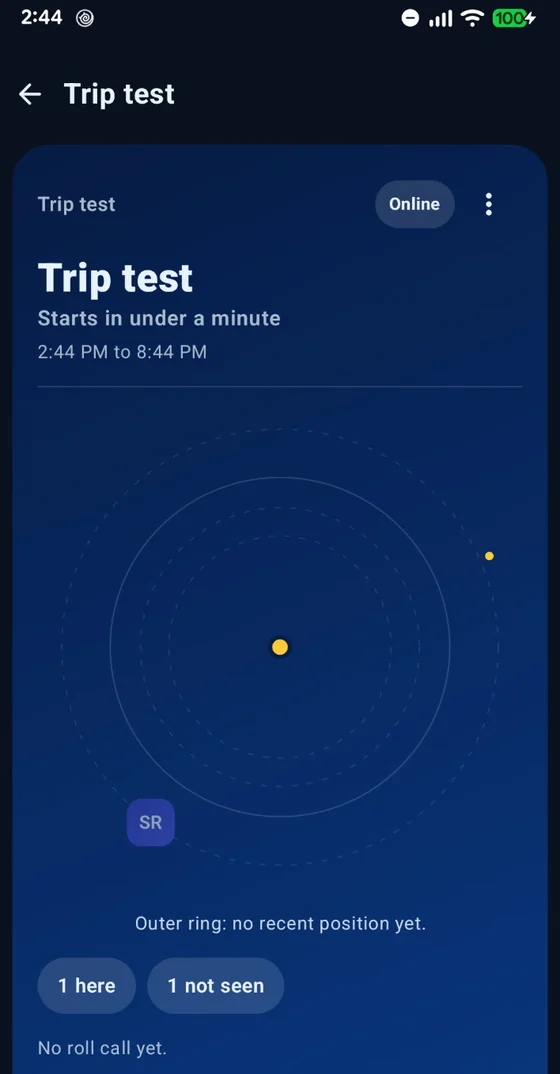
Open your group, start a Trip and set a meeting point and a “back by” time. The trip’s crew key reaches every phone while you’re online.
Meet once with Radar on
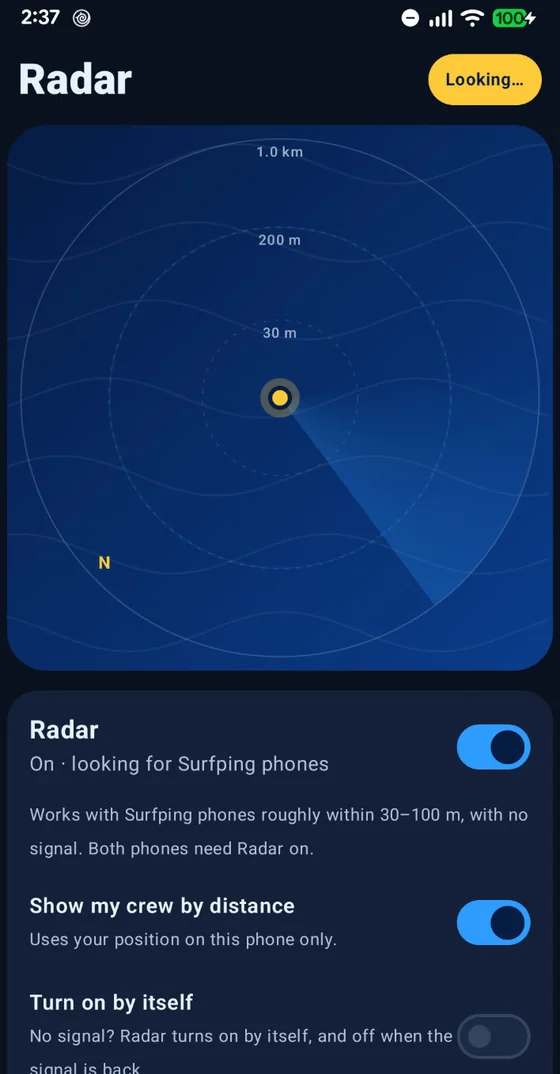
At the trailhead, turn on Radar together for a minute. Phones swap keys, so later messages are sealed for the right person.
On the trail
No bars? Open Surfping and keep it on screen when you want to talk.
Radar turns on by itself
When the signal drops, Radar switches on while Surfping is open. You can also tap On in the Radar tab.
Chat as usual
Write in your chat or group. Phones in range, about 30–100 m, get it straight away.
Your group is the network
Out of range? Your message hops through other Surfping phones in between. They carry it sealed and can’t read it.
Messages wait for you
If nobody is close, your phone keeps the message for up to 24 hours and hands it over as soon as a phone comes near.
See your crew
In Trip, the Radar and compass show where your group last was, with roll call and the “back by” reminder.
Back in signal
Online messages that were waiting send by themselves when the internet returns. Keep Surfping open for a moment.
How a message travels
Ana is too far from Citra. Budi walks between them, so his phone passes the sealed message along.
Good to know
- Calls need internet. With no signal you can send messages, see your crew on the Radar and use roll call.
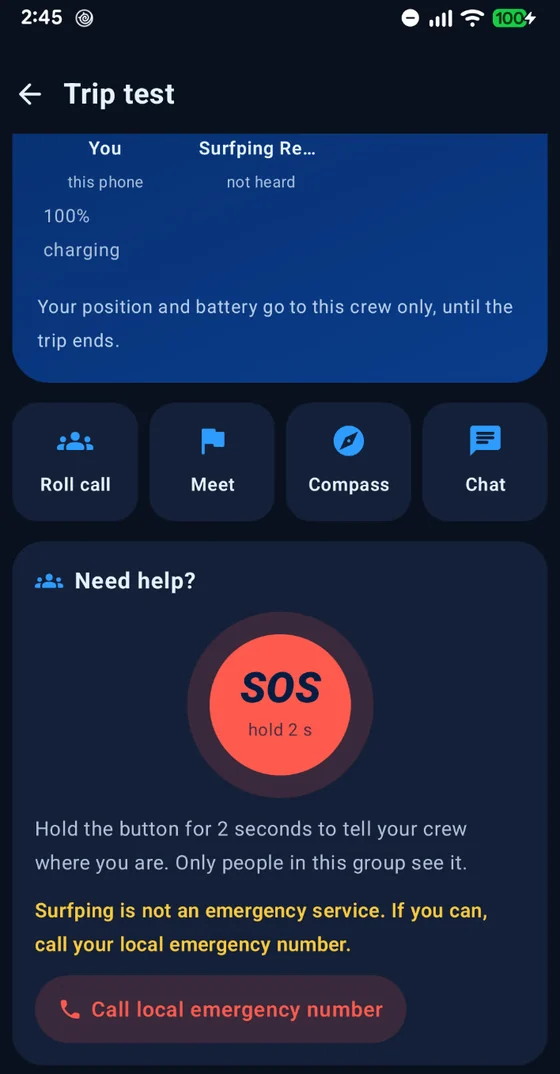
- SOS works with no signal too. Hold the SOS button and your position goes to your crew and to every Surfping phone in range, strangers included, repeating every 30 seconds until you tap “I’m safe”. With internet it also goes to your trip group online.
- Surfping is not an emergency service and never contacts anyone outside Surfping. Call your local emergency number when you can.
- Messages to one person or to a crew are signed and sealed for the recipient, so phones that pass them along can’t read them. The “Everyone nearby” room and SOS are public to Surfping phones in range, and they see your name and @username while Radar is on. You can report and block.
- Range is roughly 30–100 m between phones. Rocks, trees and walls shorten it.
- Radar uses Bluetooth and Wi-Fi, which drain the battery faster. Bring a power bank on long trips.
- No app can protect a phone that is already infected with spyware.
Questions
Do I need a SIM card or Wi-Fi network?
Do the other phones need Surfping?
Who can see my SOS?
Can strangers read my messages when they relay them?
Does it work in the background?

Ready for your next trip?
Free, no ads, no phone number.
Google Play for Android. App Store for iPhone: coming soon.